Attendance Management
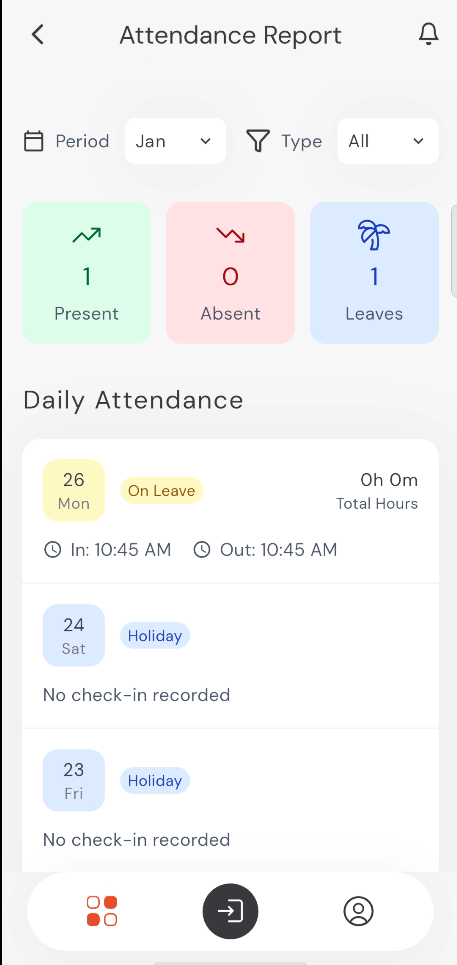
The Attendance module allows you to record your daily work hours and view your attendance history.
Check-in and Check-out
To record your attendance:
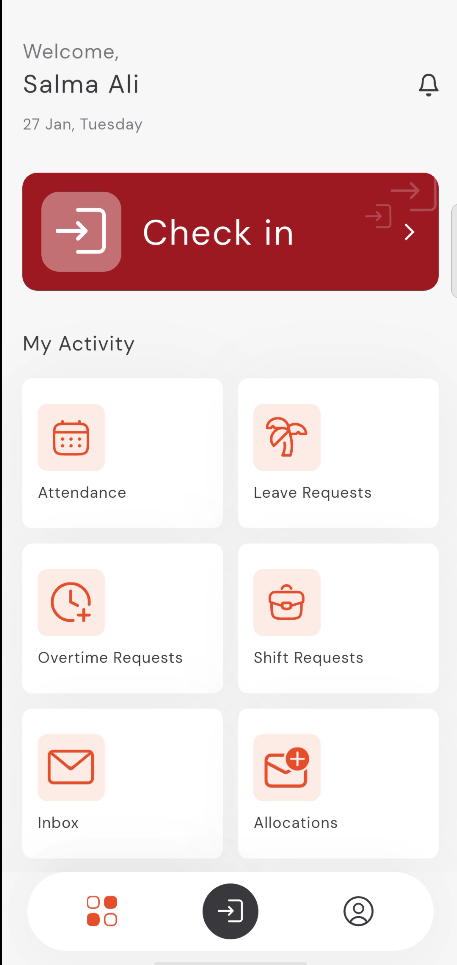
- Open the app home screen.
- Tap the large Check in button at the top of the screen.
- When your shift ends, tap the Check out button.
9:41
●●●●○WiFi100% 🔋
Viewing Attendance Reports
You can view your daily attendance history and monthly summaries:
- From the home screen, tap on Attendance under "My Activity".
- You can filter the report by Period (e.g., January) and Type (e.g., Present, Absent, Leaves).
- The summary cards show your total days Present, Absent, and on Leave for the selected period.
- Detailed daily records are listed below the summary.
9:41
●●●●○WiFi100% 🔋