Company Documents
The Company Documents module provides centralized access to all organizational certificates, legal papers, and shared resources.
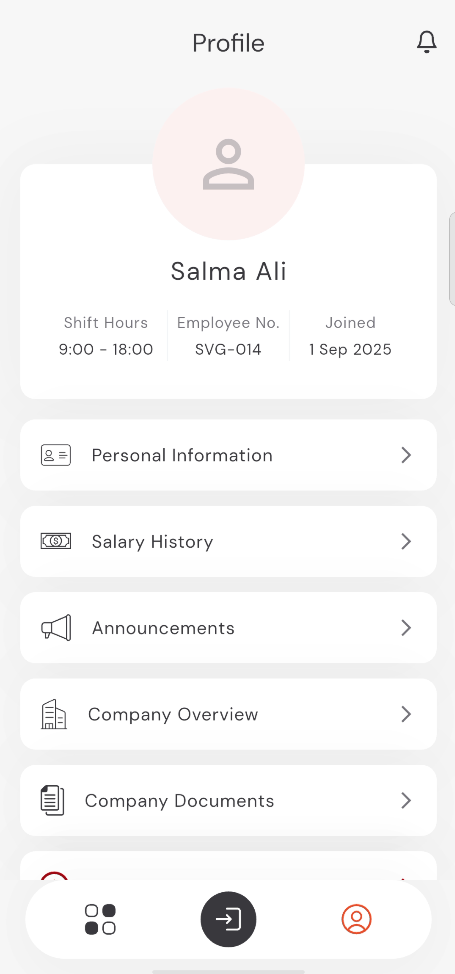
Accessing Company Documents
To access the company documents:
- Tap the Profile icon in the bottom navigation bar.
- Scroll down and tap on Company Documents.
9:41
●●●●○WiFi100% 🔋
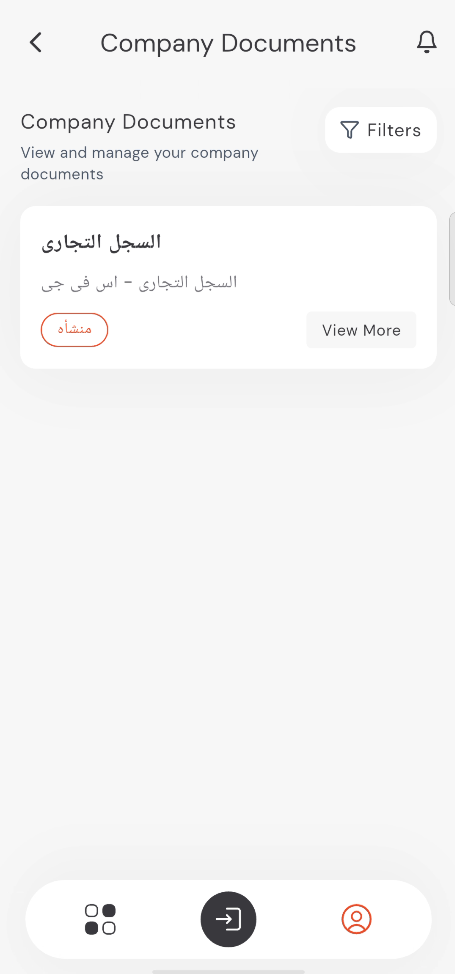
Viewing Documents
The main screen displays a list of available company documents. Each document card shows:
- Document Title (e.g., السجل التجاري).
- Short Description or subtitle.
- Category Tag.
9:41
●●●●○WiFi100% 🔋
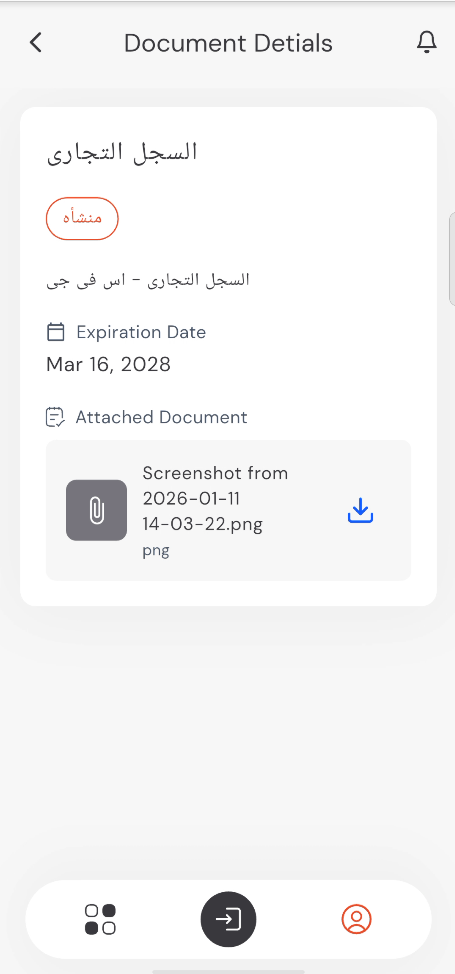
Document Details
Tap View More on any document card to see full details:
- Expiration Date: When the legal document needs renewal.
- Attached File: You can view the specific file name and download it using the Download Icon.
9:41
●●●●○WiFi100% 🔋
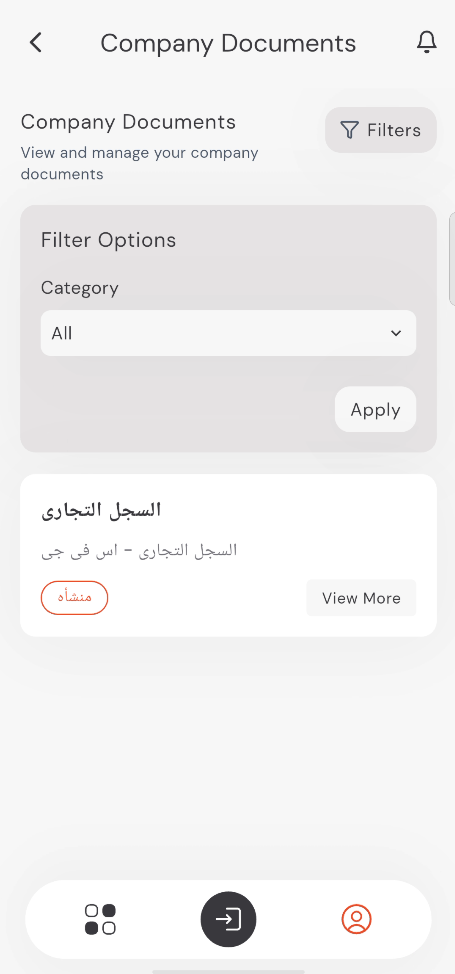
Filtering Documents
If there are many documents, you can use the filters to find what you need:
- Tap the Filters button.
- Select a Category from the dropdown menu.
- Tap Apply.
9:41
●●●●○WiFi100% 🔋